

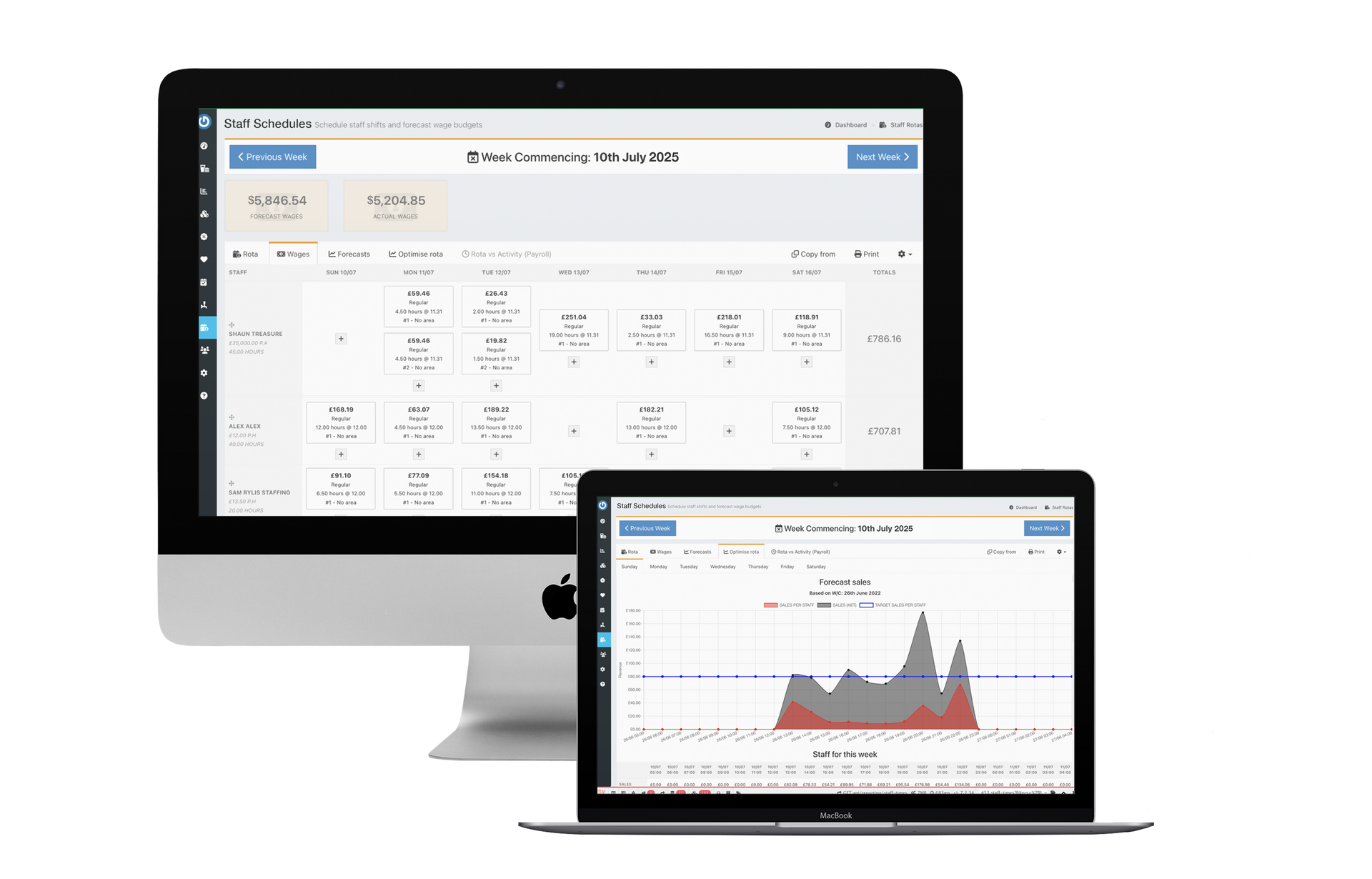

Staff schedules
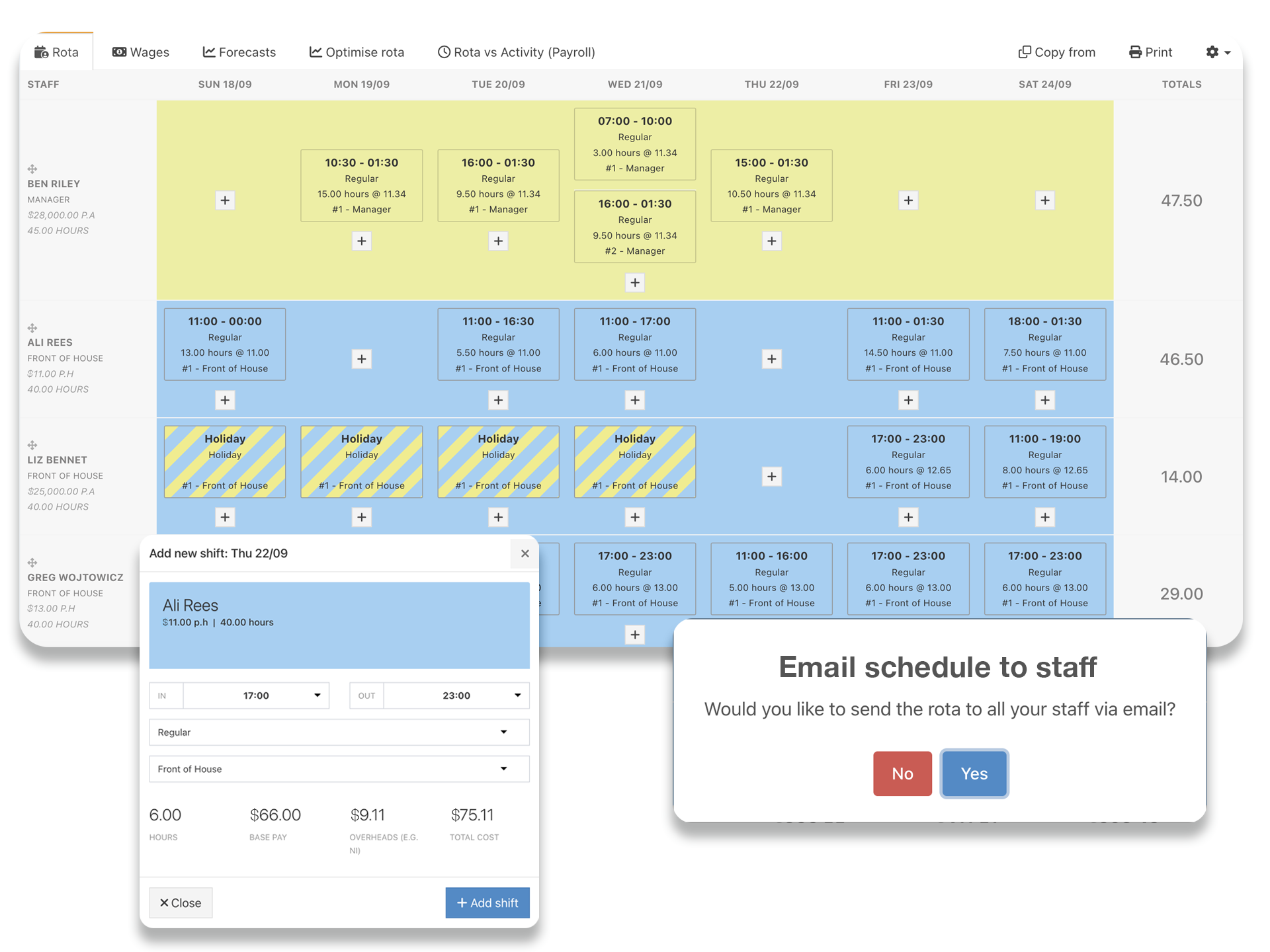
- Create schedules that can be emailed to staff, include notes for staff to see
- Add shifts, split shifts, and mark staff holidays
- Copy schedule from previous weeks, drag & drop shifts to make changes
Forecast & actual wage percentages
- Enter sales forecasts, or select a comparable week, to view forecast wage % while entering your staff schedule
- View wage percentages by day and week
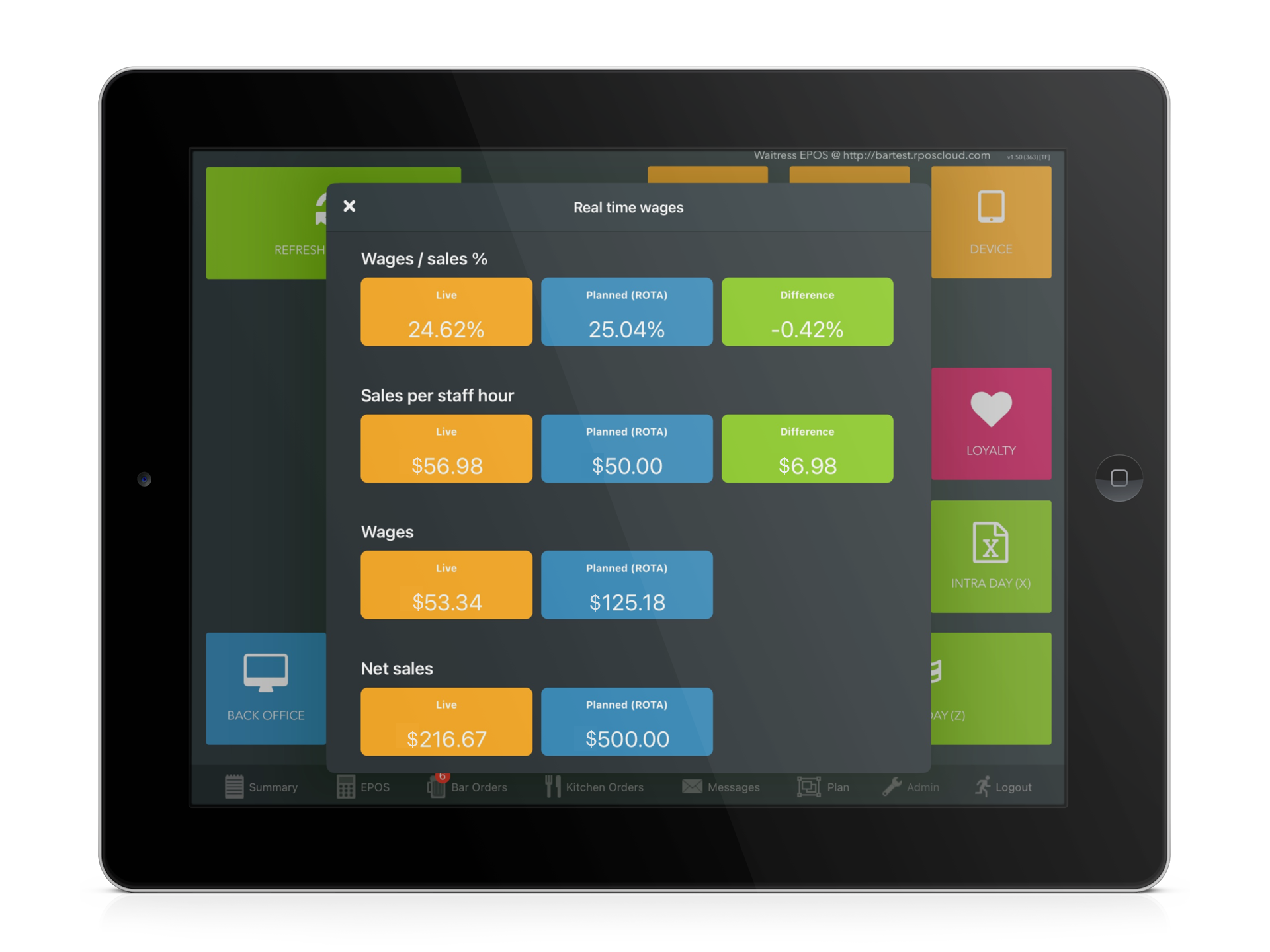
- Compare actual wage % achieved with forecast and easily see the cause of any variance
- Keep staff costs in check with a real-time view of sales vs. staff hours during the shift on the POS, or back office
- Precise and accurate sales forecasts at the click of a button - our AI forecasting tool combines previous sales with upcoming booking data
Optimizing your schedules
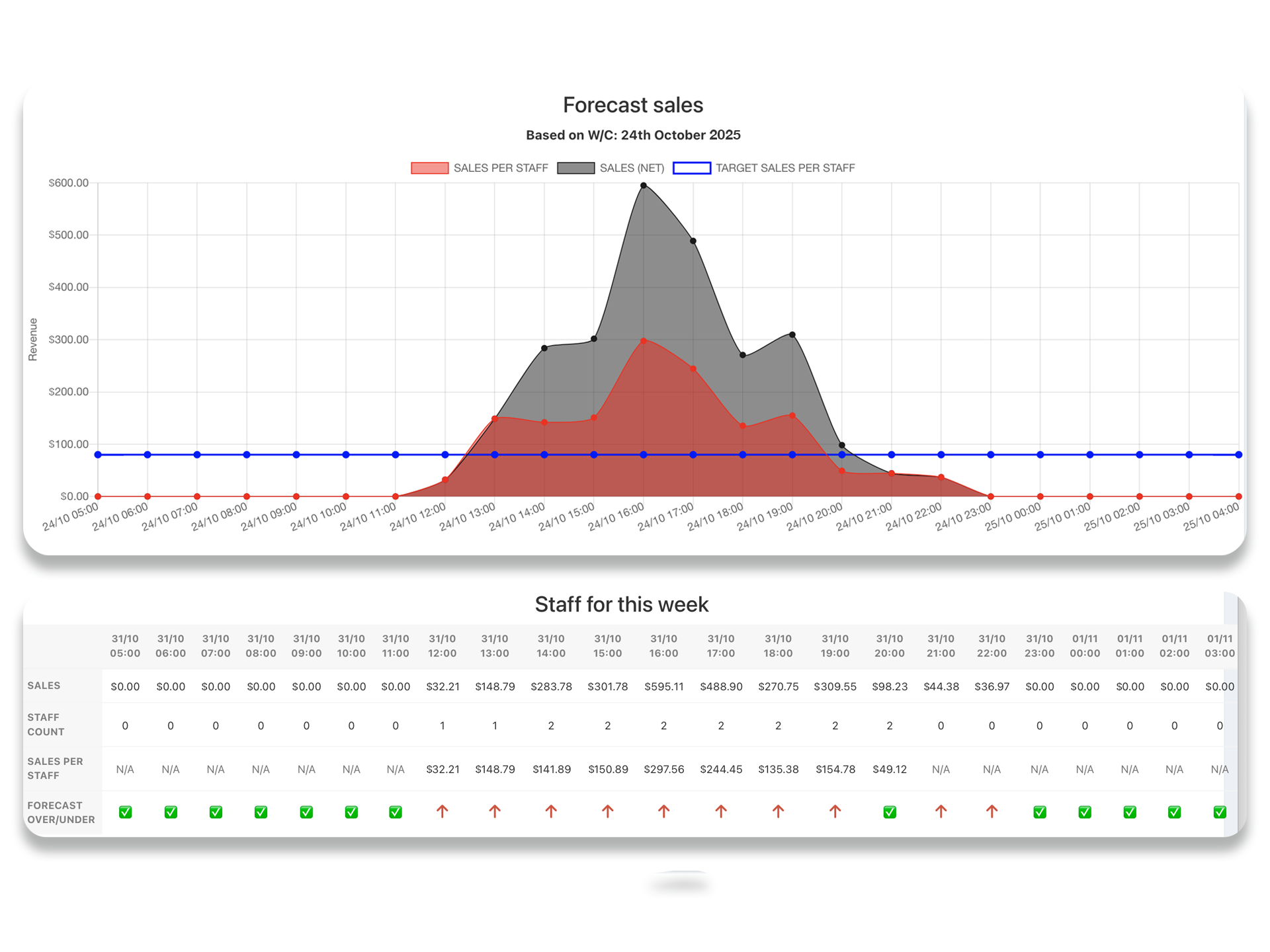
- Optimize your schedule by comparing hourly sales from comparison week with number of staff on shift
- Set minimum staff levels and target hourly sales per staff member to a level that works for your venue
- View suggestions on hours that may be over or under-staffed
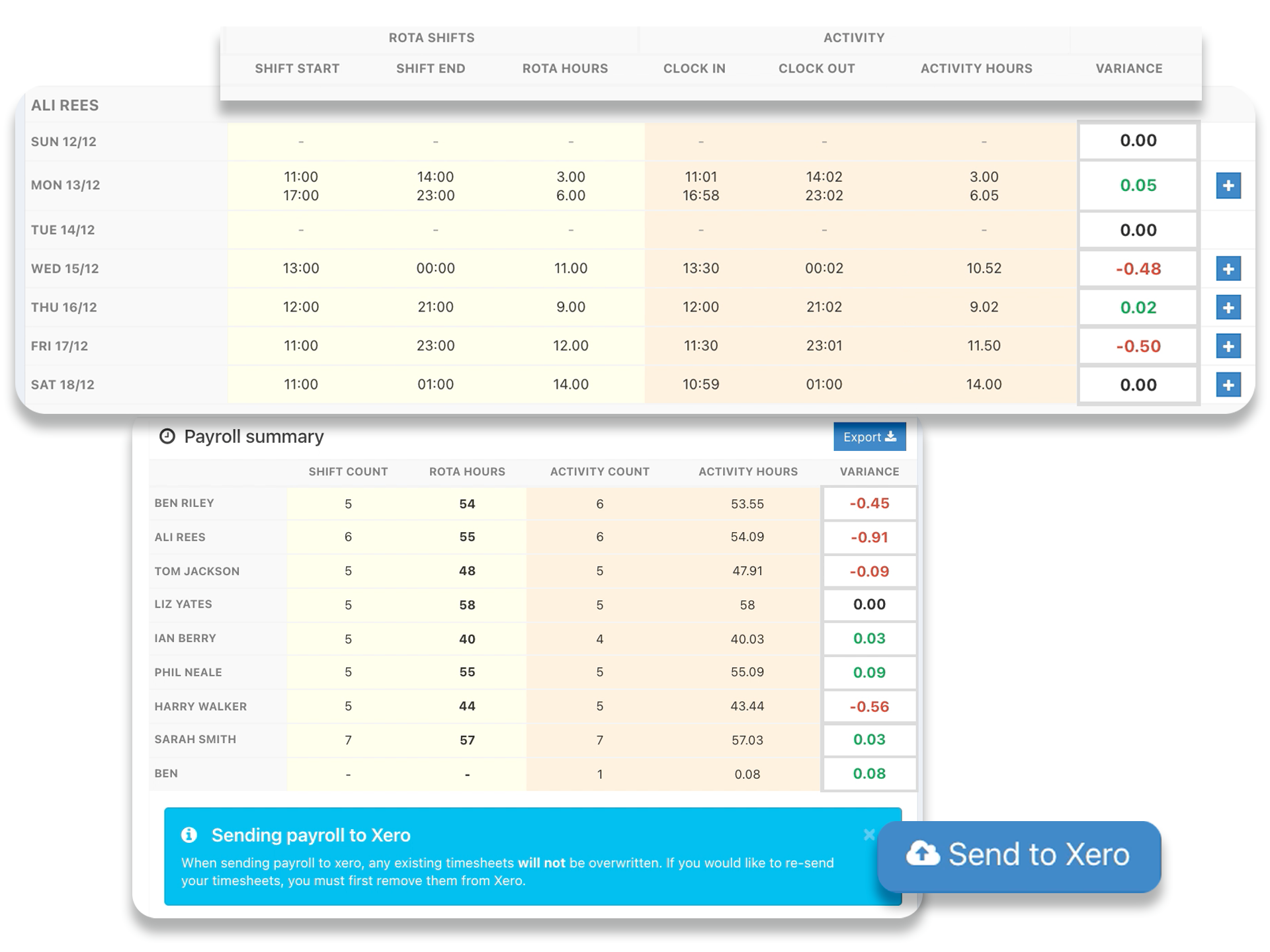
Confirming hours & payroll
- Make adjustments directly on the schedules for no shows, shift changes or sick days
- Compare clock in times to schedules shifts, decide which you want to pay by and make edits
- Export final hours to Excel or directly into accounting software
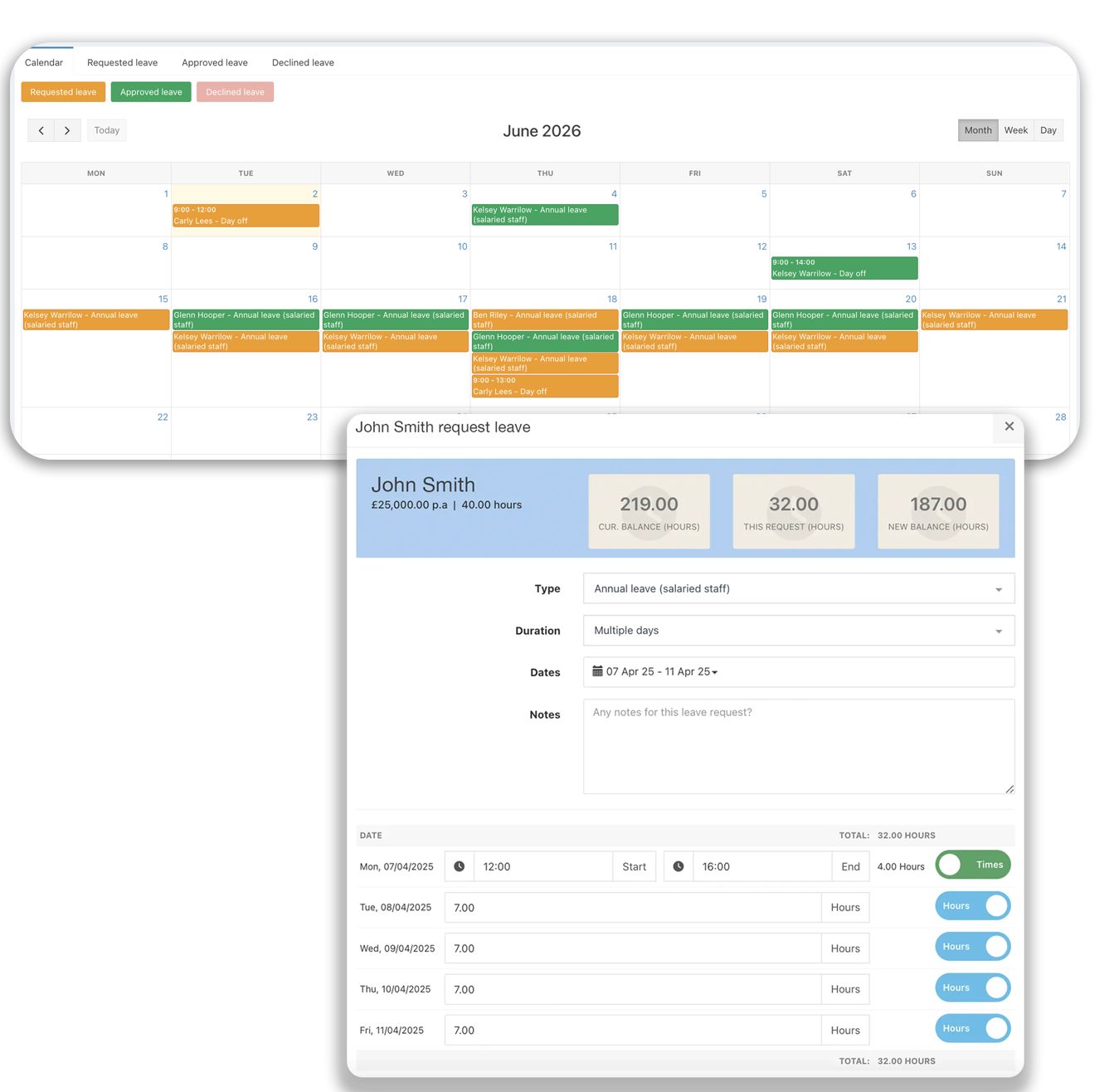
Manage staff leave in minutes, not hours
- Set up leave types and assign them to staff, with full control over how each leave type is paid and accrued
- Staff can request leave easily through their back office access, with their designated leave approver notified automatically
- Leave calendar shows all leave requests, so managers can respond in a few clicks, with automatic emails notifying staff instantly
- Approved leave shows in your staff schedule, giving you a clear picture of availability every week
All Features
CONACT US
TOLL FREE: (855) 822-7687
EMAIL: usa@tabology.com
Registered Business Address USA
Tabology USA Inc.
216 S. Washington Street
Naperville
IL 60540
FOLLOW US
