Top 7 hospitality EPOS reports
Originally published January 2022. Update (September 2026): We’ve expanded this article from 5 to 7 essential reports to reflect how hospitality tech has evolved. We've added The Sales Graph (now one of our most popular tools) and the Wastage Report (launched in 2026 by popular demand).
One of the key benefits of a hospitality-focused EPOS system vs a generic EPOS system is the availability of industry-relevant reporting.
In this article, we look at seven of the most useful
hospitality EPOS reports, which we’ve chosen based on how much our customers use them and what our in-house hospitality veterans say they used most when they ran venues. We dig into what they tell you, and how you can use them to improve profitability and make better day-to-day decisions.
Sales Graph
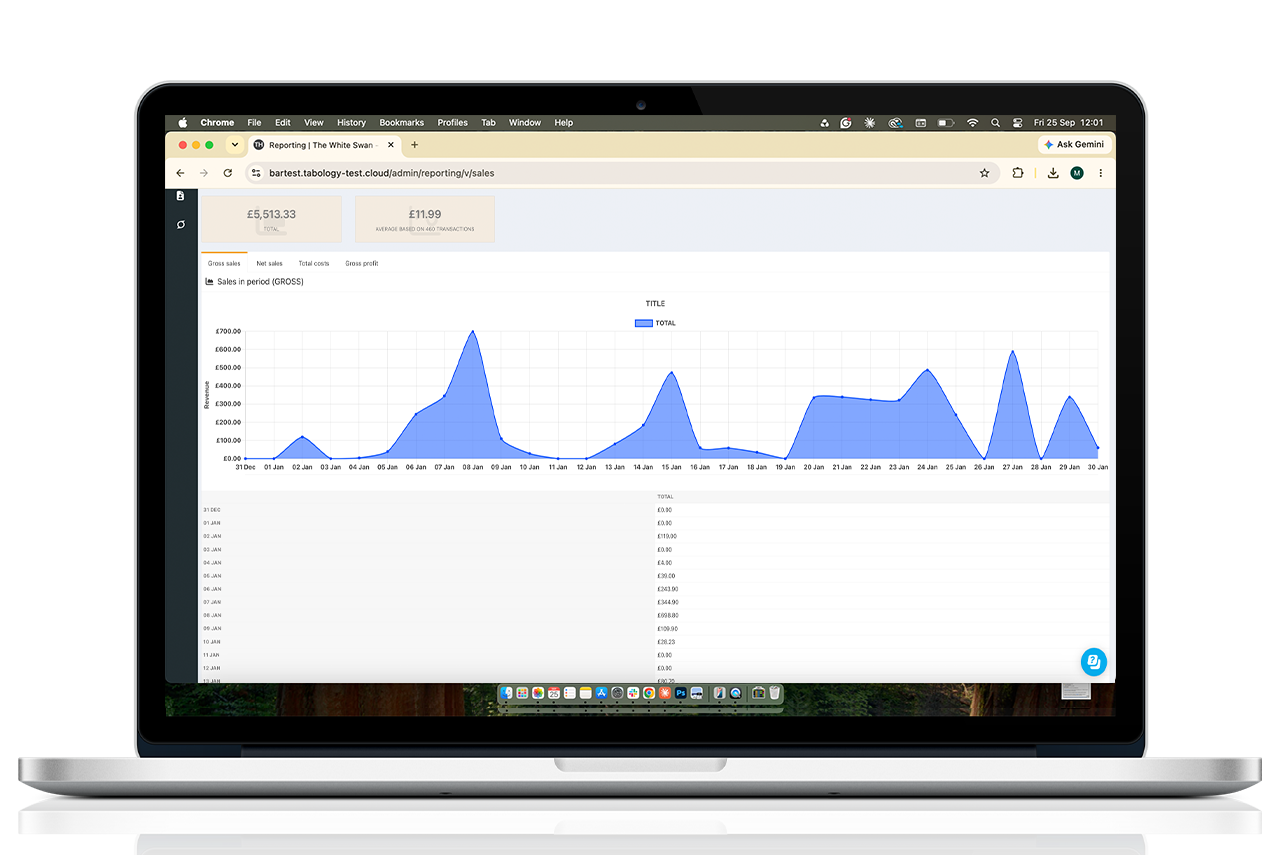
The Sales Graph gives you a clear visual representation of sales over time. This helps you understand trends and patterns, and compare sales against previous periods.
Grouping and filtering options make it easy to drill down into specific insights. For example, you can:
- Filter sales by staff member to see how much each staff member is selling and identify any training gaps or opportunities
- View sales at different times of the day or week to see when time-based promotions might have the highest impact
- Compare how online orders are doing vs in-house orders
- Track sales trends of a particular product or category you feel is becoming more or less popular
The comparison option lets you compare sales with an equivalent:
- Day from the previous week
- Week from the previous month
- Month from the previous year
- Or if you’re viewing a custom sales period, the same duration period preceding the time range you are viewing
Again, you can use the filtering options to gain specific insights and get a clear indication of whether your sales are up or down. Then you can start to figure out what’s working well, and what areas might need improving.
Itemised Sales Report
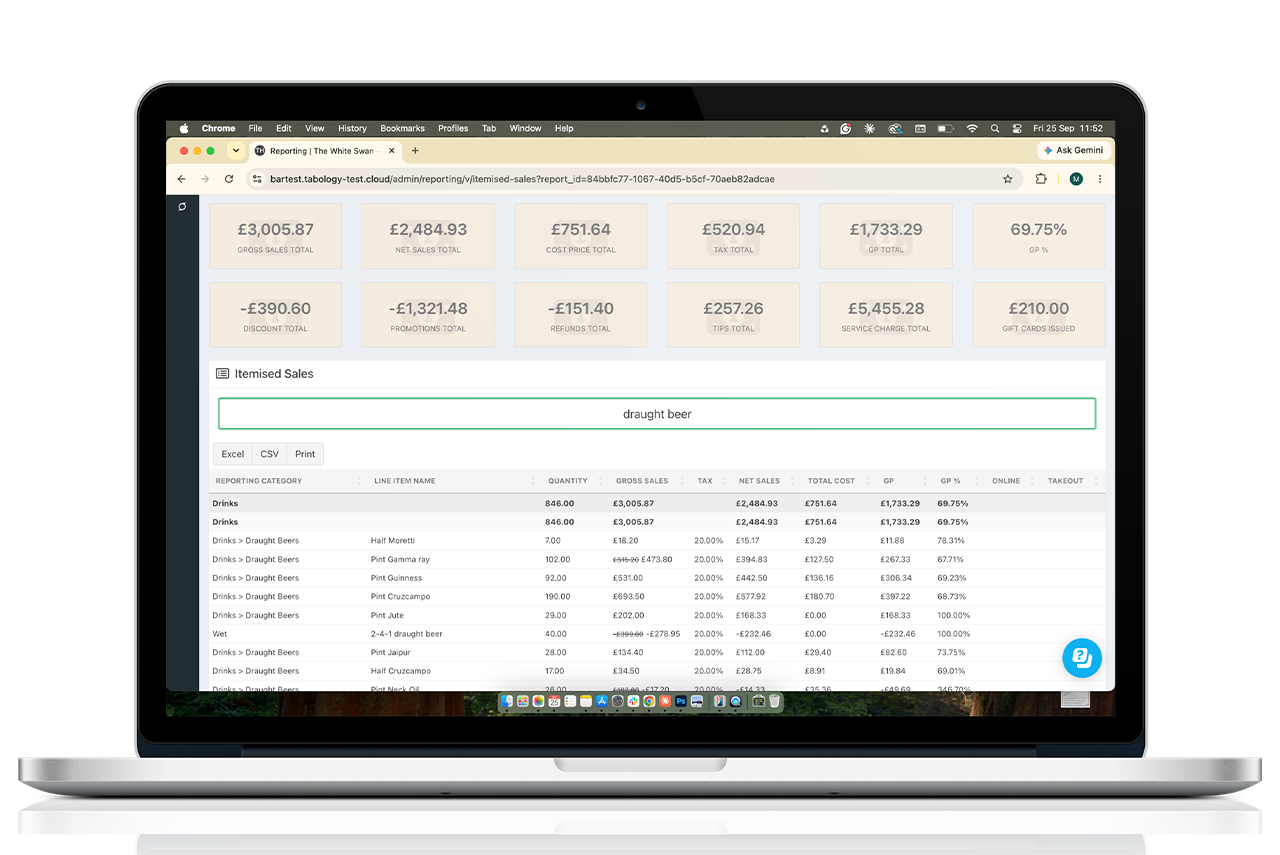
The Itemised Sales report is equally as valuable as the Sales Graph, though it serves a slightly different purpose. The detail available varies between systems, but essentially this is an itemised list of any sales made during a given time window.
A useful aspect of a good itemised sales report is an effective search function. With this you can quickly and easily drill down into the sales of any product, or category of products, to see quantities sold, sales value and gross profit all in one place.
This is an essential step in menu engineering, the increasingly common and valuable practice of optimising your menu for profitability. With the data gleaned from your itemised sales report, you can identify:
- popular, profitable items to double down on
- popular but less profitable items you can premiumise or increase in price
- unpopular but profitable items you might need to tweak, rebrand or train staff to upsell more
- unpopular, unprofitable items that could be replaced
Operators such as Matt Carson of The Green Room, Leeds, use the report this way. “We can use the reports to easily see what cocktails are selling well, or what ingredients and flavours are popular, and what might need to be updated.”
Stock Report
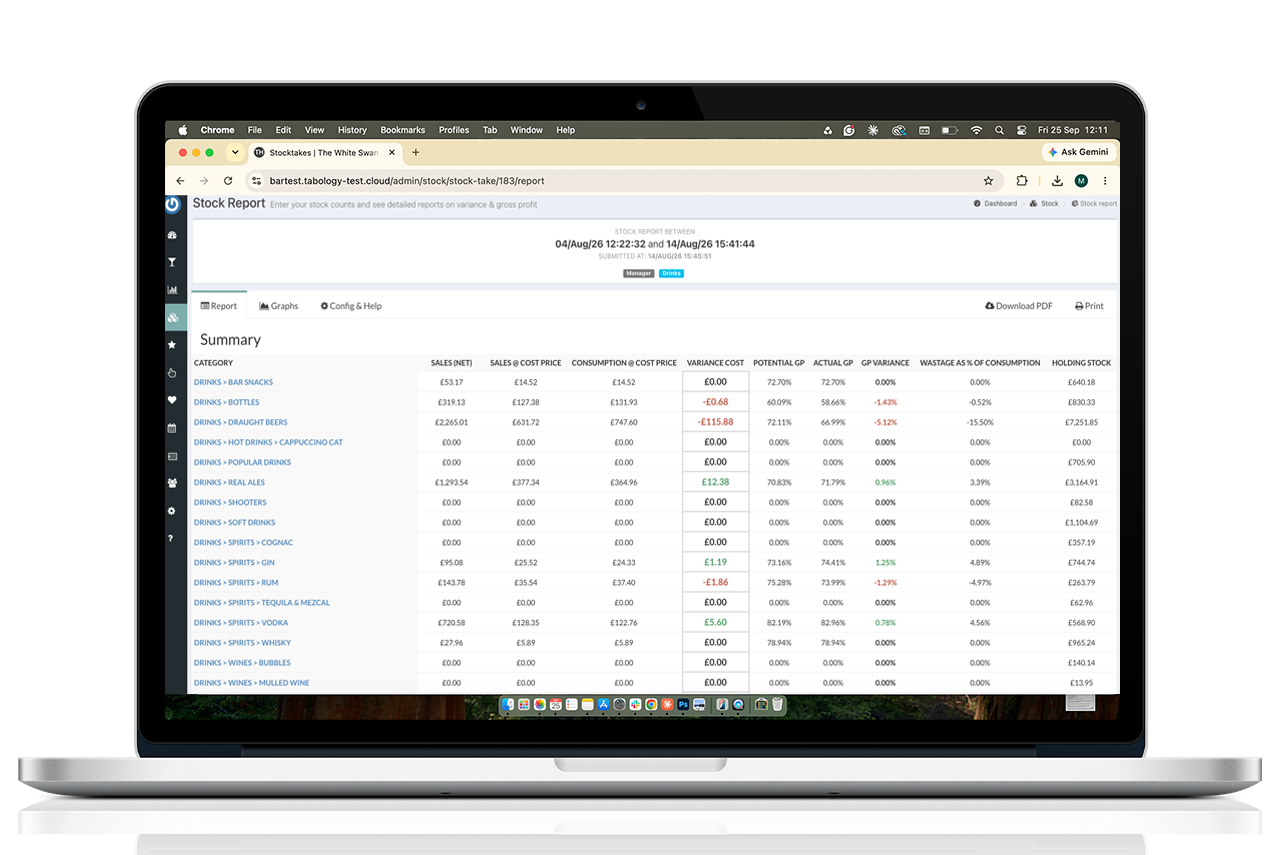
While you can easily see the gross profit (GP) you should have made (potential GP) on your itemised sales report, the stock report shows you what you’re really making (actual GP) after any losses are taken into account.
The aim is for your actual GP to be close to your potential GP. When variances arise, the stock report helps you identify the issues causing them.
Josh Margarson, Operations Manager at Swoon Gelato, uses the reports to do that. “The reporting tools help us build a more accurate picture of how each site is using their stock. It helps us to identify issues like overportioning and wastage due to equipment breakdown and so on.”
Your stock reports should have a dedicated section for variances, which lets you quickly spot any products that are up or down from their expected levels. You can then sort them based on cost or volume of variance, and prioritise which lines to investigate first. For drink variances, it might be that staff are overpouring or not recording wastage properly. For food variances, again, it could be a waste recording issue, or chefs may not be preparing or portioning sizes correctly. Whatever the reason, the stock report gives you the starting point to take the required action and control your stock.
Correct product set up is critical to a food stock tracking function. Our
hospitality EPOS system uses product templates allocated to each category, so any new products created automatically include the correct stock settings.
Wastage Report
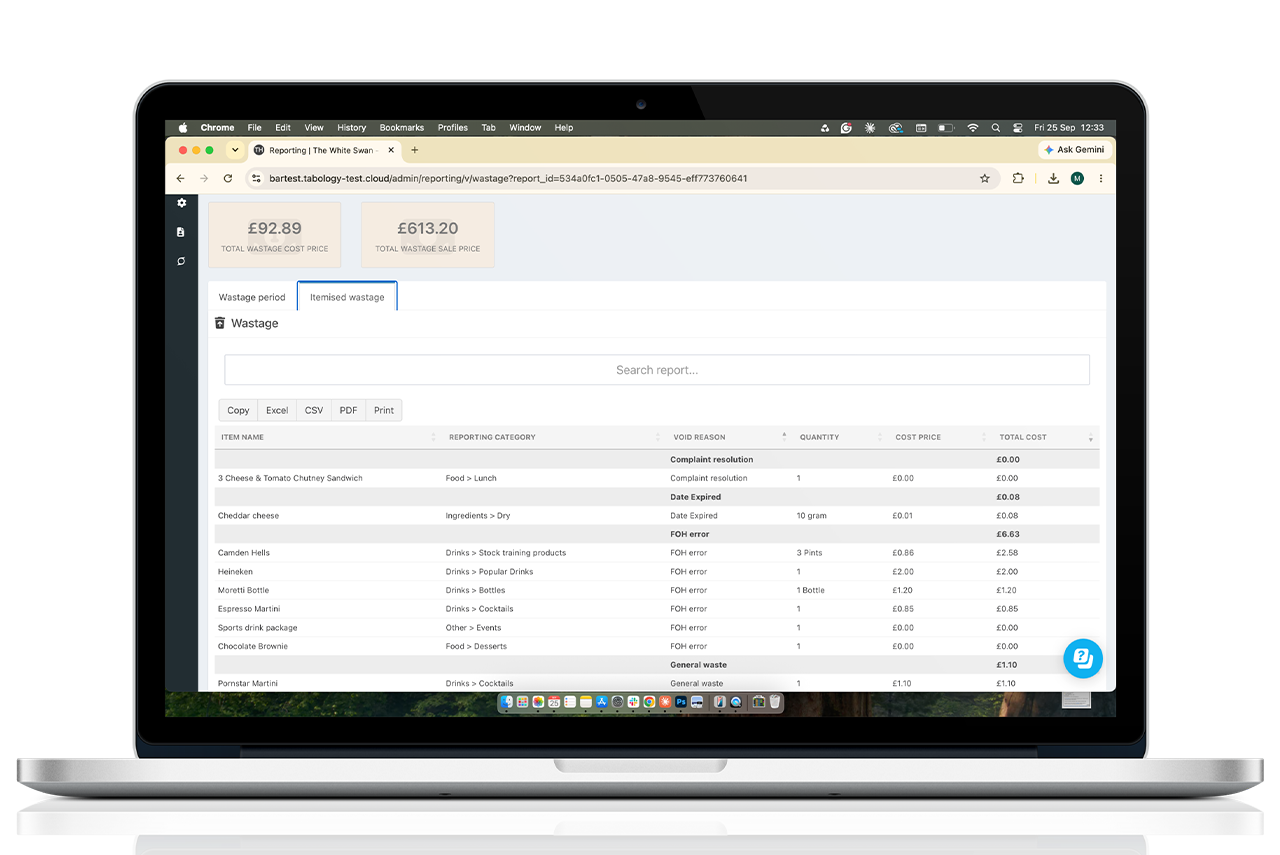
Closely linked to the Stock Report is the Wastage Report. While the Stock Report highlights variances caused by unrecorded waste, the Wastage Report shows you where recorded wastage is costing your business money.
You can see a graph of your total wastage cost over a period, then drill down to see the same for individual products. Filtering by category, wastage reason or staff member can help you spot patterns and understand what's driving the losses.
Whether it's a product that's regularly being wasted, an issue with preparation or something that needs addressing with the team, having that information helps you take action to reduce unnecessary waste and protect your profit margins.
Staff Costs Report
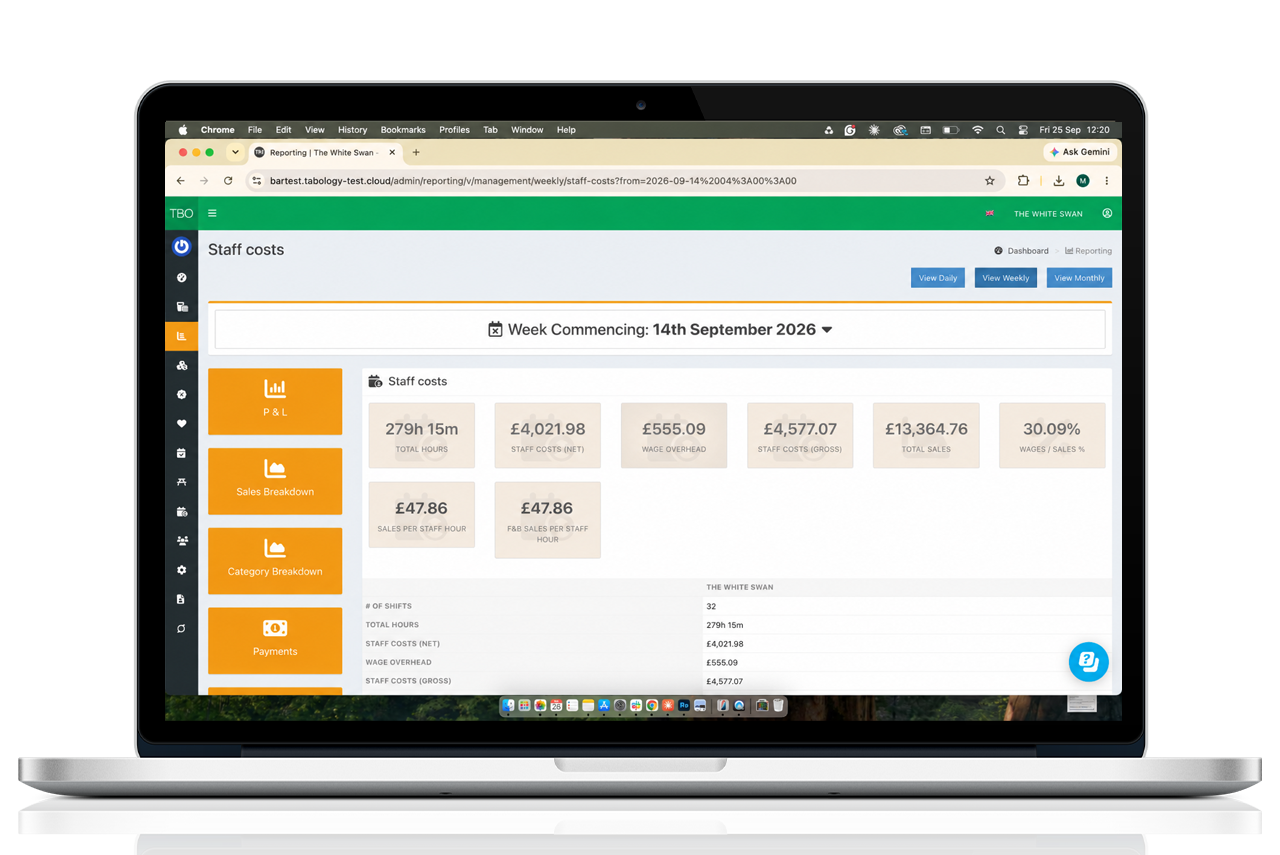
After stock, your staff are likely to be your highest cost, so keeping a close eye on your wage bill can make an enormous difference to your bottom line. The key figure on your staff costs report is your wage as a percentage of sales, but other useful figures are total hours and sales per staff hour.
Underlying the staff costs report will be detailed rota and sales information, which you should be able to drill down into to see specific days or times where you might be over or understaffed. When you can track these metrics accurately and efficiently, you can make the adjustments needed to drive real savings. Toast Pub & Kitchen used this exact strategy to cut their staff costs from 26% to 23.9%
Many EPOS systems integrate with a separate staff scheduling system, which will show you this information. But having it all in one system means all the data is in place for one of the most useful hospitality EPOS reports.
P&L Report
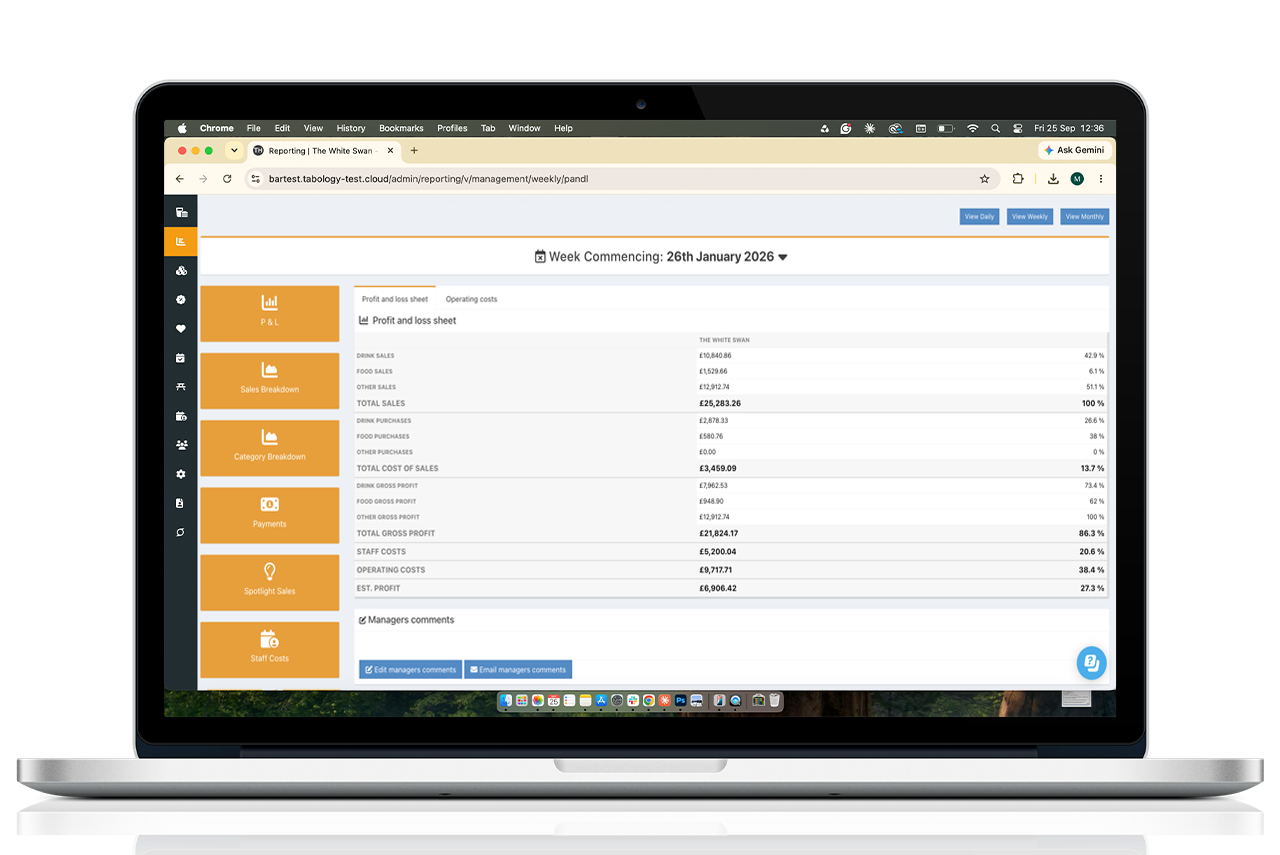
A P&L (profit & loss) report is one of the most useful reports you can have on an EPOS, as it can provide the clearest indication of how your business is performing. Think of it as your top-level dashboard. If your P&L shows profitability moving in the wrong direction, it’s your cue to then drill into your sales, stock and staffing reports to identify what's causing it.
The P&L report won't be available on all systems, as the EPOS needs to hold relevant data on all areas of the business. Where it is available, it can give you an immediate estimate of your profit for a specific day, week, or month, so you know exactly how your business is performing.
How often should you view your P&L? A quick weekly check can alert you to any urgent issues that need addressing. But at the very least, you should do an in-depth monthly review to spot any financial patterns and compare performance against previous months or years.
Email Reports
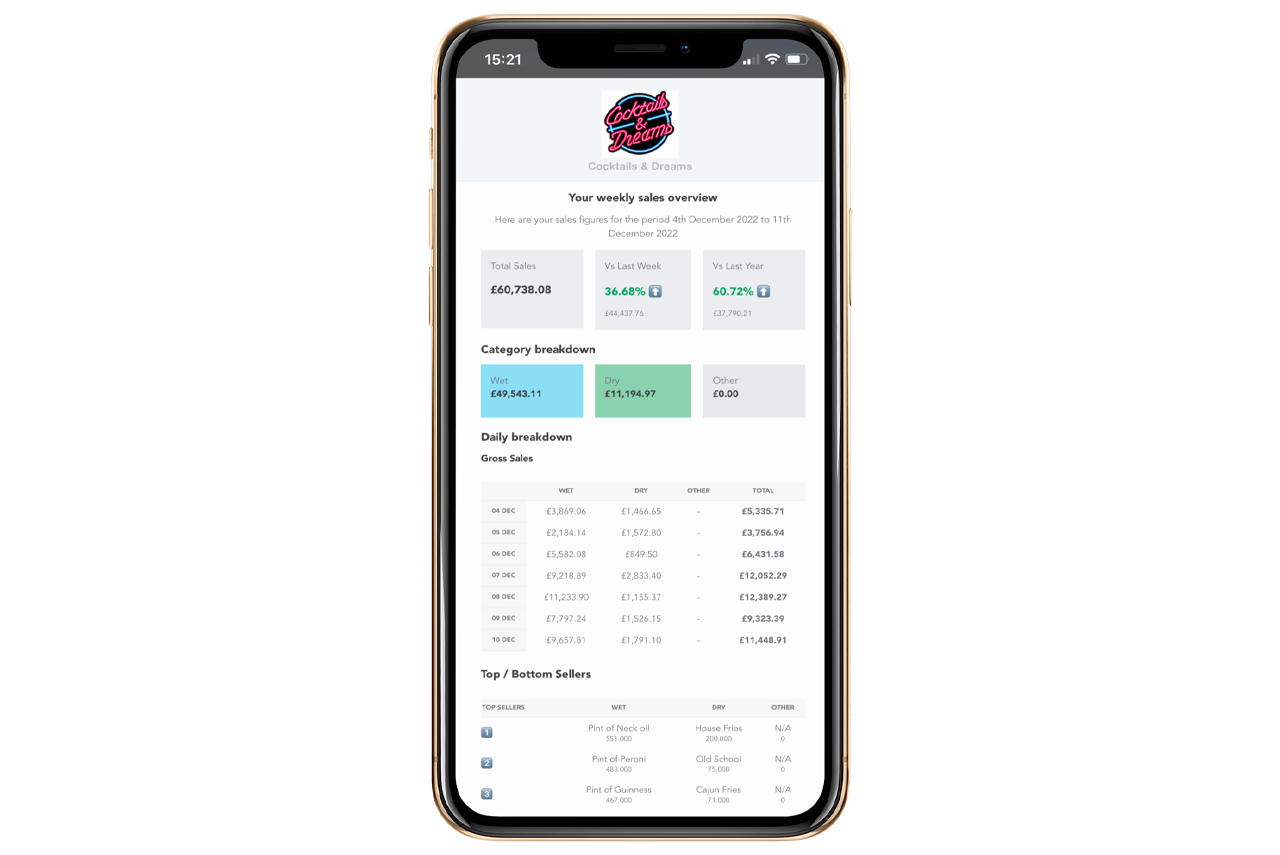
Email reports may include much of the same data covered by the reports mentioned above, but their value comes from dropping the key data straight into your inbox.
For anyone limited by time (and in this industry, who isn't?), receiving key metrics via email each day, week, or month gives you a view of how your business is performing. For a busy operator, that means you can keep an eye on performance without having to log in and run reports every day.
All seven reports are built into all
Tabology EPOS plans, giving you the information you need without relying on third-party reporting tools. To find out how easily your venue can start benefiting from increased insight,
contact our team.