How to manage restaurant reservations with ease
If you manage a restaurant, you’ll know it can be a fine line between order and chaos. And reservation management is often a deciding factor in which way it goes. An efficient process keeps your customers happy, your staff sane, and your revenue flowing.
You really want to make the process as smooth as possible for both staff and customers. And these days, managing reservations online is a critical part of that. So we’re going to take a look at every stage of the process, and how a well-integrated booking system and restaurant EPOS help you manage your reservations with ease.
First get found, then get booked
People can only book your venue if they can find it. Research by UKHospitality shows that around half of diners now book online. Your venue needs to be visible on Google Search and Maps, so you show up in all those local searches like ‘restaurant near me’ or ‘restaurants in [location]’– of which there are millions every month. You should have a presence on social media too – The Caterer says that almost half of consumers use social media to find places to eat and drink.
You then need to ensure a smooth booking process. Your website should be clean and easy to navigate, with a prominent button or built-in form, which diners can find without having to scroll down. It’s a good idea to include a ‘Book table’ button in your nav bar, so that it’s always in front of potential customers while they browse your menus.
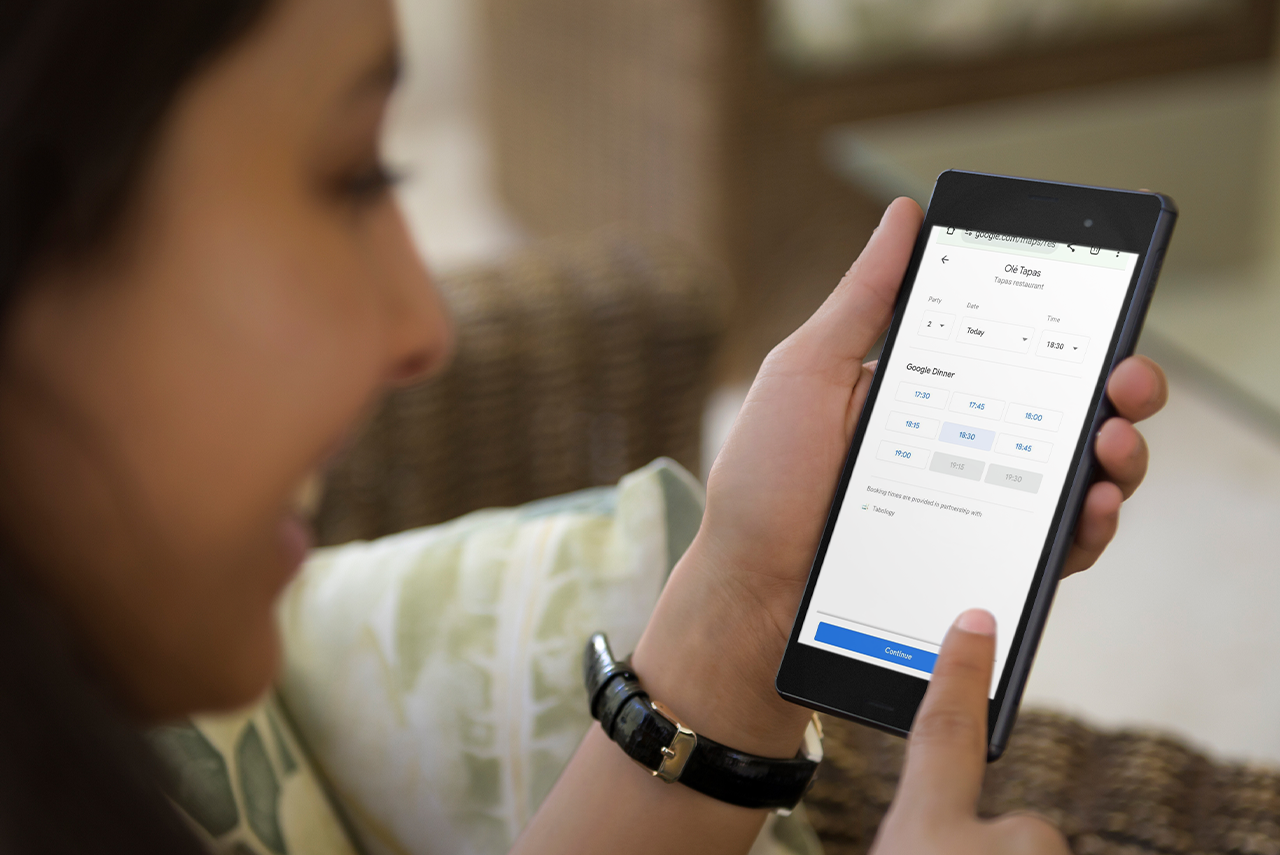
Once someone has found your booking form or page, your online booking management system takes over.
Most good booking systems, including ours, connect with
Google, allowing your guests to make reservations directly from Google Search and Maps.
Make the booking process smooth and simple
It needs to be easy for guests to input details of their booking. Remember, many people will be using mobile devices, so it’s best not to make them type in lots of information. Booking management tools should let you add dropdown menus where guests can easily select dates, times, and the number of guests, and the system shows availability accordingly.
That said, guests need the opportunity to add specific notes or requests, such as allergies, accessibility requirements, and seating preferences. This can be a simple box to enter custom information.
You should also add a marketing opt-in (usually a tick-box) if you want to send people offers and promotions via email or SMS.
Set booking parameters to avoid a free-for-all
Maintain order in your venue by specifying rules and parameters to control the flow of customers. There are no black-and-white answers here, as the best practice depends on the size and type of your venue, the nature of your clientele, and your management preferences. But these are the things you need to consider.
- Booking types: The ultimate method of organisation. Booking types organise different types of customers without staff lifting a finger; customers simply choose the booking type from a menu when they book. This helps you tailor your booking settings to the different kinds of customers you have and the experiences you offer.
- Automatic approval: Do you want your booking system to automatically approve and confirm all new bookings, or do you want managers to manually approve them? You might want to set a minimum notice period, after which booking requests must be checked and approved.
- Booking duration: Setting a maximum duration ensures you can turn tables efficiently, minimise the dead time between bookings, and keep revenue flowing. You might decide to have different durations for different booking types, or base the duration on the number of covers.
- Turnaround time: Keeping a few minutes spare between booking time slots gives staff a chance to clear and reset tables, and allows a bit of extra time for any late guests.
- Cover limits: Larger bookings can take longer to turn around and be harder to manage. You might want to consider a maximum covers limit at peak times, or require larger bookings to be manually reviewed and confirmed. On the other hand, you can also set minimum covers for certain tables. This prevents, for example, a couple booking a table of six and potentially blocking a larger, more profitable booking.
- Deposits/card pre-authorisations: For certain booking types or larger bookings where the cost of a no-show would be higher, you may want the flexibility to charge a deposit or card hold for those bookings only - or for all bookings.
- Pre-orders: These can help your kitchen team prepare more effectively, and are especially useful for larger bookings. Our system lets you configure pre-order requirements for different booking types, and the pre-order menu automatically syncs with your normal menu, so you don’t need to duplicate work when you add or edit products on your main menu. You can select your whole menu or just specific items to be available for pre-order.
Keep staff informed and give yourself some wiggle room
Have solid procedures in place to notify you and your team of any new requested or automatically approved bookings. Our booking system sends you an email when a new booking comes in. And because it’s built directly into the hospitality EPOS, you also get an alert that pops up on the EPOS screen so you can review any new bookings without having to go into the Back Office.
It can be helpful to avoid booking your venue to maximum capacity. Tabology customer Paul Stewart, founder of
Miso Newcastle, likes to leave a couple of tables free to give them that flexibility and avoid disappointing people who visit spontaneously. The exact proportion of tables you leave free varies depending on your location, footfall, and the type of restaurant.
If you’re in a location without much passing trade, you’ll want to maximise bookings to get bums on seats. But finding the right balance gives you some wiggle room for delays such as bookings turning up late or taking a while to finish their food, without having to turn people away. Use your booking system’s
reporting tools to monitor the bookings/walk-ins split in your venue, and decide how many tables you ought to keep free.
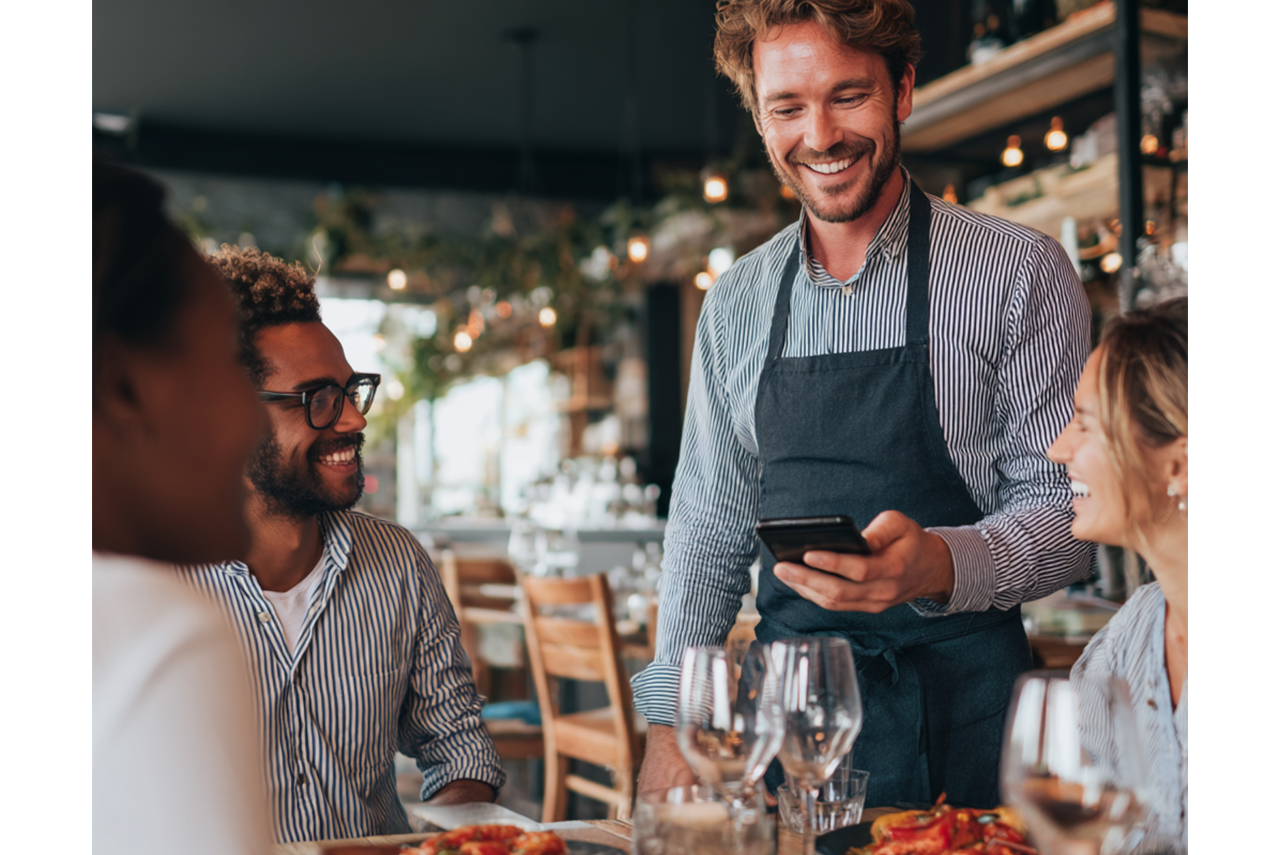
Avoid taking lots of bookings for the same time. Try to stagger them by 5-10 minutes so you can get people seated before the next group arrives. It also means your servers can space out orders and avoid overwhelming your kitchen with a torrent of tickets.
With
our booking system, you can set a maximum number of covers that can arrive at the same time. If a booking would take the number of covers arriving at that time over the limit, the system makes the time slot unavailable, and guests will need to choose an earlier or later one. Alternatively, you can set these additional bookings to come through as requests.
Keep guests informed and protect your revenue
Automated emails are the ideal way to keep in touch with guests. Booking systems such as ours let you customise them so they have that personal touch, but staff don’t need to lift a finger. Set it up once, and it takes care of itself.
Confirmation emails should include an acknowledgement of all the key details, as well as any special notes they added. But you could also take the opportunity to remind them of useful info such as parking, dress codes, and your
cancellation policy. You could also include links to your social accounts. Following you is a great way to help them build excitement in anticipation of their visit.
It’s also worth sending a reminder email before the visit. Some operators worry this might annoy customers, but in 2024,
Dine Out reported that around 1 in 7 no-shows were down to people forgetting. Reminder emails are a good opportunity to prompt customers to get in touch if they need to change or cancel their booking, and reduce your risk of losing revenue due to a no-show.
Enhance service with guest data
Paul at Miso says, “Guests increasingly want to feel ‘known’ by their favourite venues – to feel part of it.” A booking system supports this with the data it collects. It stores guests as contacts, along with details such as their birthdays, allergies, and order history. Staff can record notes on the contact’s preferences to provide a more personalised service.
For example, you could have their favourite drink ready for them on arrival, or seat them in their favourite spot next to the window. If you know the guest has children, you can provide activity packs to keep them entertained. It’s these little touches that take service to the next level and build loyalty.
When your booking system gathers this data, it helps you to run
targeted promotional campaigns via email or SMS.
Shannon Bruce, a Tabology Onboarding Expert who was an award-winning GM in a city centre bar/restaurant, says, “We used to send a message just before a guest’s birthday with the offer of a glass of fizz on us. You can also filter guests who visit regularly but haven’t been in a while, and send a retargeting campaign to entice them back.”
Remember that you
must have permission to send marketing emails, so make sure guests have opportunities to sign up for marketing whenever you communicate with them during the booking process.
Make the most of guest satisfaction
So you’ve wowed your guests, said goodnight, and they’re off home feeling all warm and fuzzy – now’s the time to make sure they come back. Sending a follow-up email is a great way to do this. A good booking system lets you automate this process.

A warm and personable message reminds them of the great experience they’ve had. You could also tactfully ask them to review your venue on a public forum. And you can also let them know about any loyalty schemes you might have. In 2025, London Loves Business reported that returning customers spend on average 67% more than new ones, so any effort here is likely to pay dividends.
One platform to manage every booking from start to finish
Every venue has its own approach to managing reservations. The key is having software and systems that make it easy for you to control this process in a way that works for you. There are a multitude of restaurant booking systems available, but where they can fall short is their lack of integration with your EPOS.
For truly seamless reservation management, use a booking system that’s built into your
restaurant EPOS. One platform, one process, one subscription. It reduces hassle, simplifies your workflows and keeps your monthly costs down. It brings all your data together, connecting bookings with sales, staffing and loyalty, to give you real insights into your venue.
That’s what we offer at Tabology – we help you consolidate and simplify your hospitality tech with fewer systems. And to see exactly how our system can transform reservation management at your restaurant, you can try it for free. Our experts are always on hand to help.
Drop us a line and we’ll be in touch to answer any questions and arrange your free demo or trial.